WordPress Maintenance Services in the UK (2026): What They Really Include and Cost
Every WordPress site needs maintenance the way every car needs a service — not constantly, but reliably. In the UK, "WordPress maintenance" is sold anywhere from £15 a month to £500 a month, and the gap between those figures is not always quality. Sometimes it is a genuine difference between security, backups and support; sometimes it is a low ticket with a high renewal design. This guide explains what a care plan actually includes, what it costs in GBP in 2026, and how to tell whether your provider is doing real work or just sending invoices.
What UK WordPress Care Plans Include
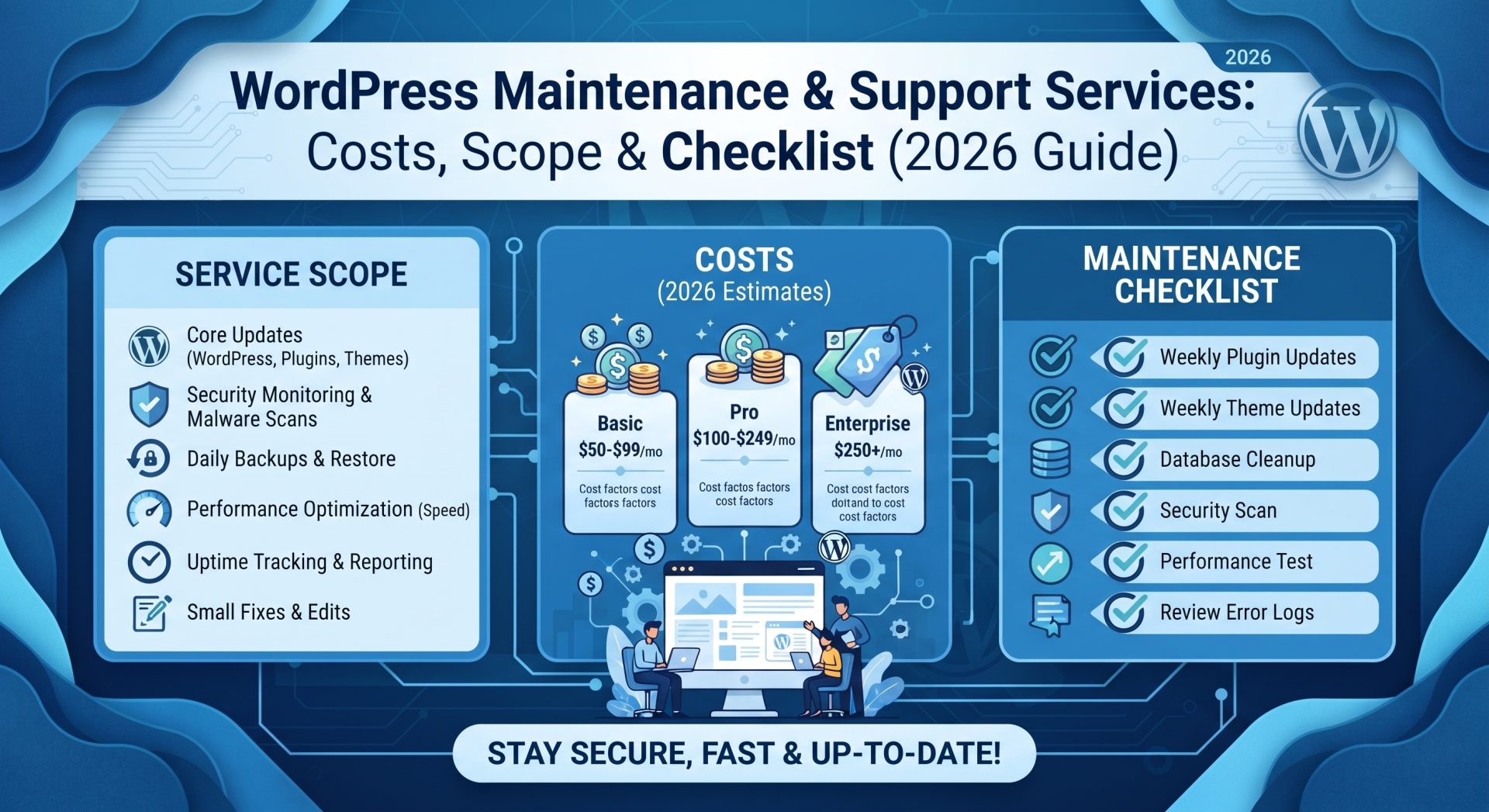
A proper care plan is several services sold as one recurring promise:
- Core, theme and plugin updates — applied safely, ideally tested after each change.
- Off-site backups with restore testing, kept for a defined window (e.g. 30 daily + 12 monthly).
- Security monitoring, malware scanning and hardening — login limits, file monitoring, removing junk.
- Uptime monitoring with alerting and incident response during business hours.
- Performance care — caching, image optimisation, database housekeeping.
- Defined support hours for small fixes: a broken form, a plugin conflict, a page that stopped saving.
Some providers also include content changes (new pages, new sections). Others bill those separately — always read what "support" means in your plan before comparing prices.
What It Costs in the UK (2026, GBP)
| Plan level | Typical cost (GBP/month) | Who it suits |
|---|---|---|
| DIY + software updates | £0 (your own time) | Comfortable owners, low-value sites |
| Security & backups only | £15 – £50 | Brochure sites with minimal change |
| Standard care plan | £50 – £150 | Most UK businesses, service sites, local SEO assets |
| Priority care + content support | £150 – £500 | Stores, lead-driven sites, busy teams |
For a typical UK business whose website is genuinely part of sales — a lead form, bookings or membership — the WordPress maintenance band of roughly £50–£150 per month is where the math works: less than one lost customer a year, and you are ahead.
What You Actually Need vs. What You Are Paying For
The honest middle path
If you are technical and your site is low-risk, a security-plus-backups plan at the bottom of the scale is reasonable. If you have a store, a booking system or a site that brings in leads weekly, you want standards above the entry level — because recovery speed, tested restores and real support hours are what you will actually use in an emergency.
Watch for the cheap setup myth
A free or £10 "maintenance" add-on from a student or a forum member may update plugins only — no backups, no monitoring, no response time. Renewals are cheap because the service is largely absent. Compare the deliverables, not the monthly figure.
The middle ground: scheduled reviews
Many UK businesses only need a lighter rhythm: monthly updates and backups, with a proper health review every quarter — plugin hygiene, broken links, speed, SEO basics. Agree that cadence in writing so nobody is guessing what "maintenance" means in week eight.
The Hidden Cost of Skipping Maintenance
A neglected WordPress site is not a saving; it is a deferred expense with interest. Out-of-date plugins are the single most common door into broken sites and hacked sites. The recovery story is familiar: backups too old or non-existent, an emergency developer hired at emergency rates, a week of downtime during the busiest stretch of year, and the quiet cost of customers who never came back. In the UK's recovery scene this pattern is common enough to be a cliché — and expensive enough to be convincing. A small, consistent monthly investment is cheaper by any measure than one poorly handled incident.
Security Is Maintenance Now
Modern care plans treat security as an ongoing discipline: updates kept current, admin areas protected from brute force, files watched for unauthorised changes, and unneeded plugins retired. UK businesses also face GDPR reminders in the same inbox as security alerts — a care plan that handles both (keeping forms and privacy wording sane) reduces legal headaches too. If a provider cannot describe its security steps in one clear paragraph, the plan is probably thin.
Turning Your WordPress Site Into an Asset
Maintenance is not only about defence. A well-maintained site loads faster, ranks better and behaves predictably for marketing campaigns. When core software is current and your database is tidy, adding a new landing page or an SEO improvement is a small task rather than a archaeology expedition. Owners who invest in upkeep find their website gradually becoming an asset — a quiet salesperson that stays current, secure and effective — instead of a ticking liability.
Frequently Asked Questions
Do I really need to pay monthly for WordPress maintenance?
If the site is low-risk and you manage updates yourself, entry-level security and backups may be enough. For any site that earns revenue or generates leads, a professional plan is cheap insurance.
Can I do WordPress maintenance myself?
You can update plugins and take backups yourself. What you usually cannot do is guarantee tested restores, monitor around the clock and respond in minutes when the site is down — which is what you buy a plan for.
What should I ask before signing a care plan?
Where backups live, when they were last restored successfully, how many update rounds are included, what support hours mean, and whether content changes are included or billed separately.
One more thing is worth saying plainly: maintenance is a relationship, not a receipt. The provider who answers your emergency call, explains what broke in words you understand and shows you the log of what was done is the provider you can grow with. Ask for a simple monthly report — what was updated, what was checked, what it cost and what to watch next. A page of transparency is worth more than a year of good intentions. When you interview a care provider, test their communication before you sign: send a pre-sale question and see how they respond. The answer is a preview of every support ticket you will ever file with them. Choose the partner you would want on call, not just the cheapest recurring invoice.
Treat maintenance as a threshold purchase: below the line you are buying hope, above it you are buying recovery speed. Choose the line your revenue justifies.